
Inventory control for stock, transfers, counts, and assembly
Move inventory from manual stock sheets into a controlled workflow with request approvals, warehouse visibility, count sheets, transfer history, and transaction evidence.
What you get
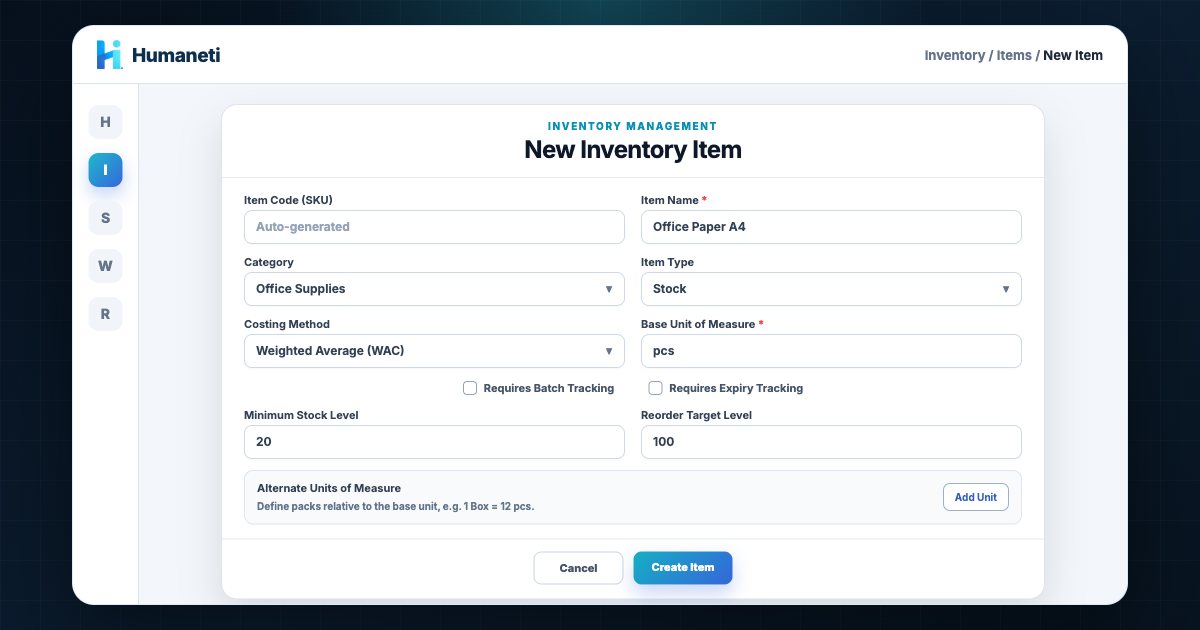
- Item categories, items, warehouses, bins, stock balances, and transaction history
- Stock-in from goods received to connect procurement with inventory
- Issue requests with submit, approve, reject, fulfill, and cancel actions
- Transfer requests with transfer-out and transfer-in controls
- Stock counts with count sheets, submit, approve, and reject steps
- BOM and assembly order support for structured inventory operations
How the workflow runs
- 1
Configure items, units, warehouses, bins, and opening stock
- 2
Stock in directly from approved goods receipts
- 3
Approve and fulfill issue or warehouse-transfer requests
- 4
Perform stock counts, adjustments, BOMs, and assembly orders
Reports and operating visibility
- Stock on hand, warehouse/bin balances, and transaction ledger
- Issue, transfer, stock-count, BOM, and assembly status
Controls and audit evidence
- Approval states for issues, transfers, and stock counts
- Immutable movement references and source documents
Built for teams like these
Operations teams that need warehouse, bin, stock count, transfer, and issue-request controls
Organizations connecting procurement goods received to stock movements
Frequently asked
- Can we run stock across more than one warehouse or branch?
- Yes. Stock is held per warehouse, so every branch has its own on-hand and reserved quantity for each item while sharing one item catalogue. A sale at one branch reduces only that branch's stock, and a POS sale deducts it immediately. Moving goods between branches goes through a transfer request with its own approval log, so stock never changes location without a record. Branch allowances are set by plan: 3 on Starter, 1 on Shop, 25 on SME, and unlimited on Enterprise.
- How are stock counts handled?
- Stocktakes record counted versus system quantity and post the variance, so the adjustment is evidenced rather than silently overwritten.
- Which plan includes Inventory?
- Shop for stock control; SME and above for receiving, transfers & assembly
- How is this module implemented?
- Humaneti confirms scope, data ownership, roles, workflow rules, migration inputs, acceptance criteria, and go-live support during implementation. The exact sequence depends on the modules and controls selected.
Guides for this module
Practical walkthroughs, including the step-by-step workflow the system actually runs.
Receipts, issues, transfers, and counts for Cambodian shops and warehouses — and why an approved issue request is what keeps stock honest.
Read guide →How Cambodian shops take dollars, give riel change, set a shift float, and still reconcile the drawer at closing without a spreadsheet.
Read guide →A practical comparison for Cambodian shop owners: what breaks with a desktop till, what cloud actually changes, and how to judge connectivity risk.
Read guide →Explore other modules
Cambodia procurement software for purchase requests, quotations, approvals, purchase orders, goods received, vendor control, and budget checks.
Asset management software for Cambodia NGOs and SMEs to register, assign, maintain, depreciate, and audit assets across offices and field sites.
NGO fund accounting for Cambodia: restricted funds, donor tracking, grant agreements, budget control, and fund balances tied to your audited ledger.
Ready to see it live?
Request a demo tailored to your team.